Digital Microscope with Built-in Screen

A digital microscope with a built-in 5-inch screen for school chemistry and biology classrooms: it shows the microstructure of substances, crystals and powders on screen without an eyepiece, so several students see the image at once. It takes photographs and video and the files are exported over USB to a computer for use in other programs.

Thank you! Your submission has been received!
Oops! Something went wrong while submitting the form.

Specification

icon plus
  • Type: digital microscope with a built-in screen
  • Purpose: studying the microstructure of substances, crystals, powders and other objects during laboratory and demonstration work; photographing and video recording of the observed image and exporting the files to a computer for processing in other computer programs
  • Screen: IPS, 5 inches (12.7 cm), 480 × 854 pixels; observation without an eyepiece, so several students see the image at the same time
  • Magnification: optical 10×–600×, digital up to 1500×
  • Photo resolution: 12; 10; 8; 5; 3; 2 MP
  • Video resolution: 1080 Full HD; 720p
  • File formats: photo — JPG, video — AVI
  • Focusing: manual, over a working distance of 10–70 mm
  • Illumination: LED, 8 LEDs, with brightness adjustment
  • Storage medium: TF memory card of up to 32 GB (supplied separately)
  • Power supply: built-in 2000 mAh rechargeable battery, 1 h of autonomous operation
  • Computer interface: USB
  • Operating system compatibility: Windows XP, Vista, 7, 8, 10, 11; macOS 11.0 and newer
  • Recommended age: 10 years and older (grade 5 and above), under the supervision of a teacher
  • Compliance: complies with the applicable EU directives and regulations and bears the CE and WEEE markings
  • Warranty: 3 years; spare parts and consumables available for 5 years

Product passport: ULABS-C110 (PDF)

Additional info

icon plus

Preparation for work

  • Unpack the product and inspect the housing, screen, lens and USB cable. Remove the protective film from the screen and the lens before switching on for the first time; do not touch the lens with your fingers — fingerprints show as a blurred patch on every image.
  • Charge the built-in battery fully by connecting the product with the USB cable to a computer or a charger. A full charge gives one hour of work; for a long demonstration lesson keep the product connected to power.
  • Insert a TF memory card of up to 32 GB into the slot of the switched-off instrument — photos and videos are stored on it. Check the free space on the card before a series of works: video in 1080 Full HD fills it much faster than photographs.
  • Place the product on a stable level surface and the object under the lens on the stage. Switch the instrument on, check that an image appears on the screen and set the illumination brightness: less light for transparent and light objects, more for dark powders and metal samples.

Observation, photography and video recording

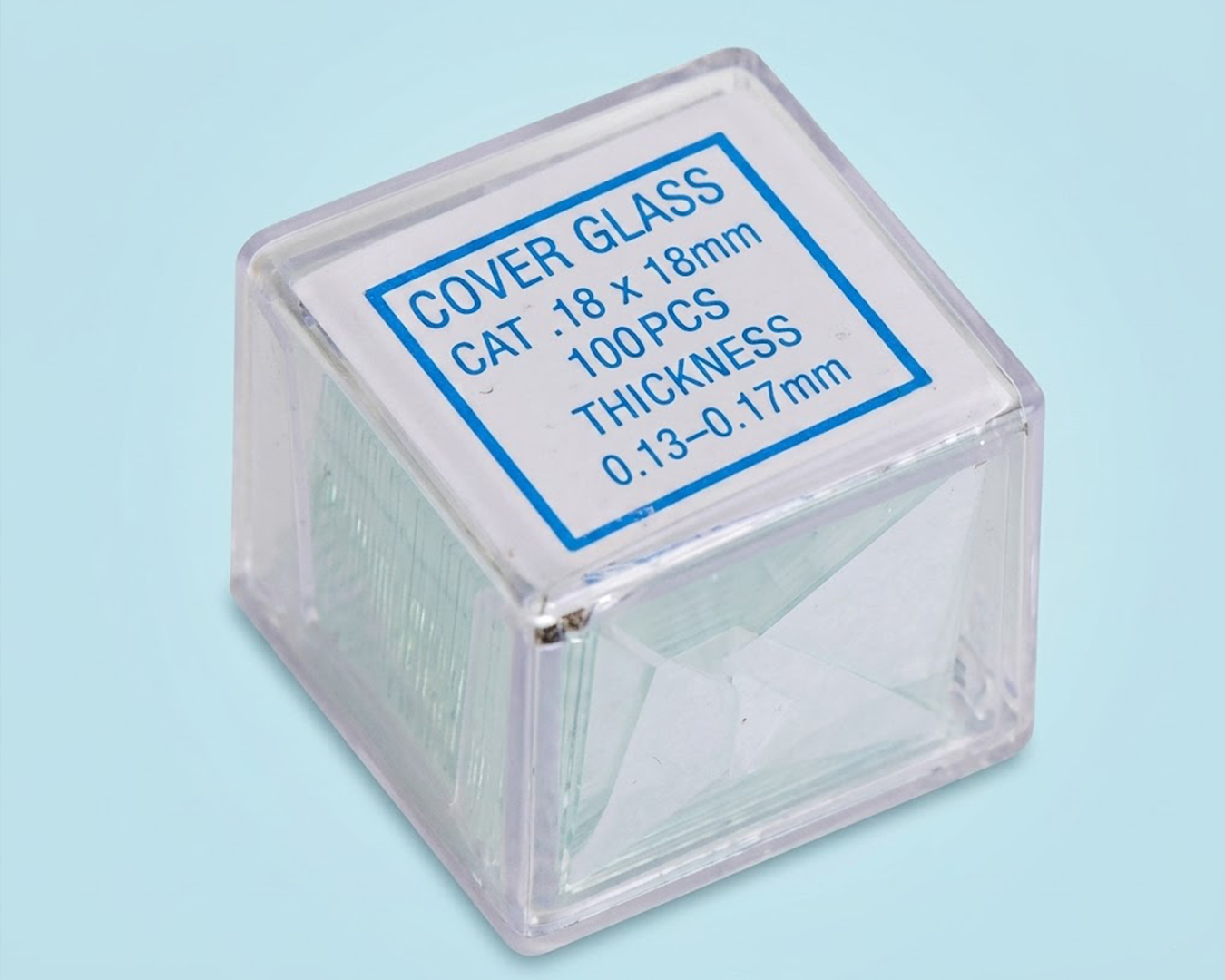
  • Place the sample under the lens. Powders, crystals and small solid particles are spread in a thin even layer on a slide; a drop of solution is covered with a cover glass so the liquid does not reach the lens.
  • Set the distance from the lens to the sample within 10–70 mm and focus manually by changing this distance slowly. The higher the magnification, the shallower the depth of field: at high magnification only a thin layer of the sample is sharp, so level the sample surface in advance.
  • Increase magnification step by step. Optical magnification of 10×–600× gives real detail; digital magnification up to 1500× only stretches the image already captured and adds no new detail — switch it on only to examine a particular feature on screen.
  • Take the photograph when the image on the screen is sharp and still. Choose the photo resolution from the range 12, 10, 8, 5, 3, 2 MP: middle values are enough for a laboratory report, and the maximum 12 MP is used when the image will later be enlarged or measured.
  • For recording a process — crystal growth, dissolution of a substance, movement of particles in a drop — choose the 1080 Full HD mode; 720p gives a smaller file when duration rather than detail matters. Do not touch the instrument while recording, otherwise the video will show shake.
  • Note with every photograph what was recorded, at what magnification and under what illumination. The product stores only the image in the file, so without such a record the results of different experiments cannot be compared.

Transferring results to a computer and processing

  • Connect the switched-off product to the computer with the USB cable, then switch the instrument on. The memory with the files becomes available as an external drive from which the JPG photographs and AVI videos are copied into a folder on the computer. The product works with computers running Windows XP, Vista, 7, 8, 10, 11 and macOS 11.0 and newer.
  • JPG and AVI open with standard viewers and are accepted by most image processing programs, document editors and presentation software, so experiment results are inserted into a laboratory report without conversion.
  • For measurements on the image, photograph an object of known size together with the sample — a ruler division, millimetre paper or a calibrated slide — in the same frame and at the same magnification. Knowing how many pixels correspond to the known length, the sizes of other details in the image are calculated in the image processing program.
  • Finish copying files before disconnecting the cable, then switch the product off. Clear the transferred files from the memory card before the next series of works and store the files on the computer with names containing the date, the name of the work and the magnification.

Safety

  • Do not direct the LED illumination into the eyes and do not look at it from close up: eight LEDs at a short distance give bright, dazzling light.
  • Place the powders, crystals and solution samples under study on a slide or in a closed preparation — reagent that reaches the lens, the illumination or the housing puts the product out of service.
  • Do not use the product in a fume hood with acid and alkali vapours and do not leave it on a bench next to open vessels of reagents.
  • Charge the built-in battery only with the cable intended for this product, from a computer or a certified charger; do not leave the instrument in the sun or near heating appliances.
  • Do not open the housing and do not attempt to replace the built-in battery yourself — this is done at an authorised service centre.
  • Insert and remove the memory card only with the product switched off.
  • Do not subject the product to impacts, moisture or direct sunlight. Students work with the product under the supervision of a teacher.

Maintenance

  • Clean the lens and the illumination glass only with a soft optical wipe, slightly moistened if necessary. Blow dust off or remove it with a soft brush; optics must not be wiped dry with paper or a linty cloth — it leaves scratches that show on every image.
  • Wipe the housing and screen with a soft damp cloth without solvents or abrasives. Do not immerse the product in water and protect it from solutions; remove a drop of reagent from the housing immediately.
  • Maintain the charge of the built-in battery: do not store the product fully discharged for a long time and recharge it about every three months when not in use. A noticeable drop in autonomous running time means the battery is worn — it is replaced at an authorised service centre.
  • Store the product in a dry heated room, in a case or box, lens down on a soft pad, away from reagents. A sudden temperature change fogs the optics: an instrument brought in from the cold is kept indoors until the condensation clears before being switched on.

Storage and transport

  • Store at +5 °C to +40 °C and relative humidity of 60 % (non-condensing), protected from direct sunlight, moisture, dust and heat sources.
  • Operating conditions: air temperature +5 °C to +40 °C, relative humidity 40 % to 60 %, atmospheric pressure 84 to 107 kPa.

Disposal

  • The product carries the WEEE marking (crossed-out wheeled bin), which prohibits disposal with unsorted municipal waste. Remove the batteries before disposal and hand them in separately at a battery collection point; the product goes to a separate collection point for waste electrical and electronic equipment. Metal parts are recycled as scrap metal; electronic components go to specialised processing.

icon plus
How long is the MIKKO Course?
Is the MIKKO Course good for new teachers
How long is the MIKKO Course?
Ask something?
More information

More information

Related products
view all

What our clients are saying about us.
view all

Customer testimonials

What our clients are saying about us.

Working with UNOWA was a turning point for our university. Their expert-led training in ABA, ADOS-2 and MIKKO reshaped how we think, teach, and prepare inclusive educators. The model inclusion classroom they equipped has become a living lab, a space where theory becomes hands-on skill. This partnership didn’t just support a project. It laid the foundation for a more humane, modern and inclusive education system in Kazakhstan.
Yerkin Zhumankulova
Vice-Rector in Academic Affairs. Kazakh National Women's Teacher Training University
Thanks to UNOWA’s innovative approach and professional guidance, we’ve redefined how we prepare future educators. The MIKKO training and inclusion lab brought international best practices to our university, not just as theory, but as living, hands-on tools that inspire confidence and real change.
Irina Rovnyakova
Vice-Rector for Strategic Development and International Relations. Sarsen Amanzholov East Kazakhstan University
Working with the UNOWA team was a valuable and supportive experience in delivering psychological and educational projects. Their reliable platform, openness to dialogue, and continuous technical support allowed me to focus on the quality and meaning of education. I confidently recommend UNOWA as a trusted partner for the development of psychological education and human-centered support.
Liudmyla Lahuta
President of the International Institute of Psychological Maturity INC
Thanks to our partnership with UNOWA, even schools in Armenia’s most remote regions now have access to fully equipped science and technology labs. Nearly half of the country’s schools have been modernized, bringing equal learning conditions to every student, no matter where they live.
Zhanna Andreasyan
Minister of Education, Science, Culture and Sport. The Government of the Republic of Armenia
UNOWA's national project equipped 14 Kazakhstan universities with inclusive classrooms to a unified standard. They delivered top-quality kits, equipment, digital courses with 24/7 access, and localized resources. This game-changer strengthened inclusive education foundations nationwide.
Dastan Yessenov
Coordinator of the PIU of World Bank in the Republic of Kazakhstan
UNOWA's national-level ABA and ADOS-2 training became a milestone for Kazakhstan's education system. The program was comprehensive, well-structured, and perfectly aligned with inclusive education modernization goals nationwide. I appreciated the balance of deep theory, practical sessions, and 24/7 online access. This strengthened specialists' ABA and diagnostics skills, directly improving support for children with special needs.
Karlygash Zholdassova
Inclusion Education Specialist of PIU of World Bank in the Republic of Kazakhstan
icon arrow left
icon arrow right

Customer testimonials

What our clients are saying about us.

UNOWA's national project equipped 14 Kazakhstan universities with inclusive classrooms to a unified standard. They delivered top-quality kits, equipment, digital courses with 24/7 access, and localized resources. This game-changer strengthened inclusive education foundations nationwide.
Dastan Yessenov
Coordinator of the PIU of World Bank in the Republic of Kazakhstan
UNOWA's national-level ABA and ADOS-2 training became a milestone for Kazakhstan's education system. The program was comprehensive, well-structured, and perfectly aligned with inclusive education modernization goals nationwide. I appreciated the balance of deep theory, practical sessions, and 24/7 online access. This strengthened specialists' ABA and diagnostics skills, directly improving support for children with special needs.
Karlygash Zholdassova
Inclusion Education Specialist of PIU of World Bank in the Republic of Kazakhstan
Working with the UNOWA team was a valuable and supportive experience in delivering psychological and educational projects. Their reliable platform, openness to dialogue, and continuous technical support allowed me to focus on the quality and meaning of education. I confidently recommend UNOWA as a trusted partner for the development of psychological education and human-centered support.
Liudmyla Lahuta
President of the International Institute of Psychological Maturity INC
Thanks to our partnership with UNOWA, even schools in Armenia’s most remote regions now have access to fully equipped science and technology labs. Nearly half of the country’s schools have been modernized, bringing equal learning conditions to every student, no matter where they live.
Zhanna Andreasyan
Minister of Education, Science, Culture and Sport. The Government of the Republic of Armenia
Thanks to UNOWA’s innovative approach and professional guidance, we’ve redefined how we prepare future educators. The MIKKO training and inclusion lab brought international best practices to our university, not just as theory, but as living, hands-on tools that inspire confidence and real change.
Irina Rovnyakova
Vice-Rector for Strategic Development and International Relations Sarsen Amanzholov East Kazakhstan University
Working with UNOWA was a turning point for our university. Their expert-led training in ABA, ADOS-2 and MIKKO reshaped how we think, teach, and prepare inclusive educators. The model inclusion classroom they equipped has become a living lab, a space where theory becomes hands-on skill. This partnership didn’t just support a project. It laid the foundation for a more humane, modern and inclusive education system in Kazakhstan.
Yerkin Zhumankulova
Vice-Rector in Academic Affairs Kazakh National Women's Teacher Training University
icon arrow left
icon arrow right
Digital Microscope with Built-in Screen
Speak to expertimage of finger pointing to a graph